
Some refunds can be processed in the 6Storage Admin portal while others will need to be completed through your payment processor portal.
The Paya/Nuvei Integration will allow you to refund tenants directly through the 6Storage admin portal in the move out process.
The full move out process can be found here: https://help.6storage.com/knowledge-base/how-to-perform-a-move-out-through-the-6storage-admin-portal
- If a tenant has paid further ahead than the move out date you can refund the extra payment with the Pro-rata Move-Out option
- You can decide exactly how much you would like to send back to the tenant using the Refunding Amount box on the right side
- The Refunding Amount will be how much is sent back to the tenant
- The maximum you can refund is listed in the Balance as an advance
- The Refund Type drop down will be used to select how you plan to give the money back to the tenant
- Return to customer will allow you to select a refund method such as Cash, Check, or Credit Card
- Selecting Credit Card will allow the funds to be sent back to the card on file
If you have any other refunds to send back to a tenant's card you can do so through the Paya/Nuvei Portal.
- Your Paya/Nuvei Portal will likely be 6storage.payaconnect.com
- The Paya/Nuvei team can provide more assistance if needed
- Paya Support: 800-261-0240
- Nuvei Support: 888-481-0757
- After signing in you can select locations on the left and choose your facility
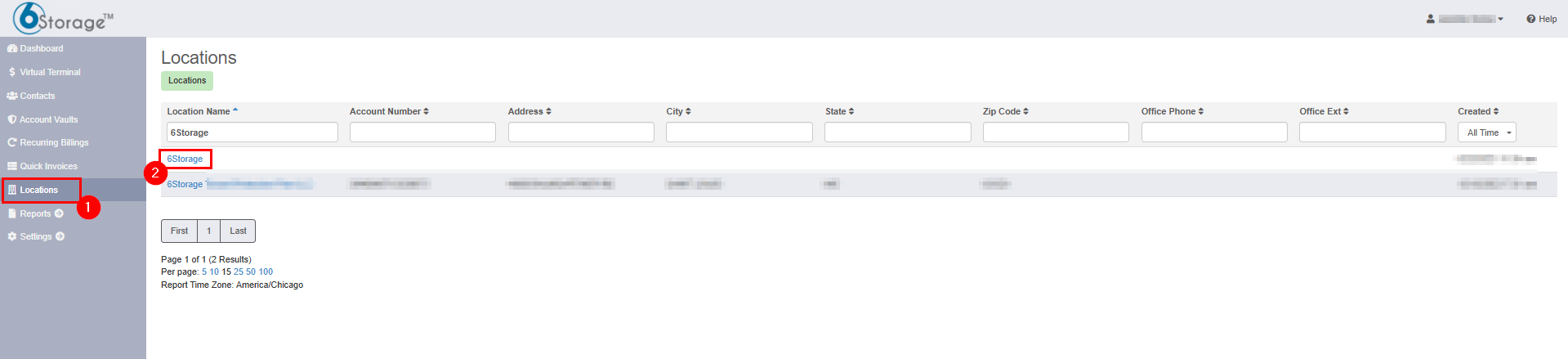
- Here you can select the Transactions tab at the top
- Then apply your filters to find the transaction you are looking for
- You can then select the Full Detail box on the left of the transaction you would like to refund
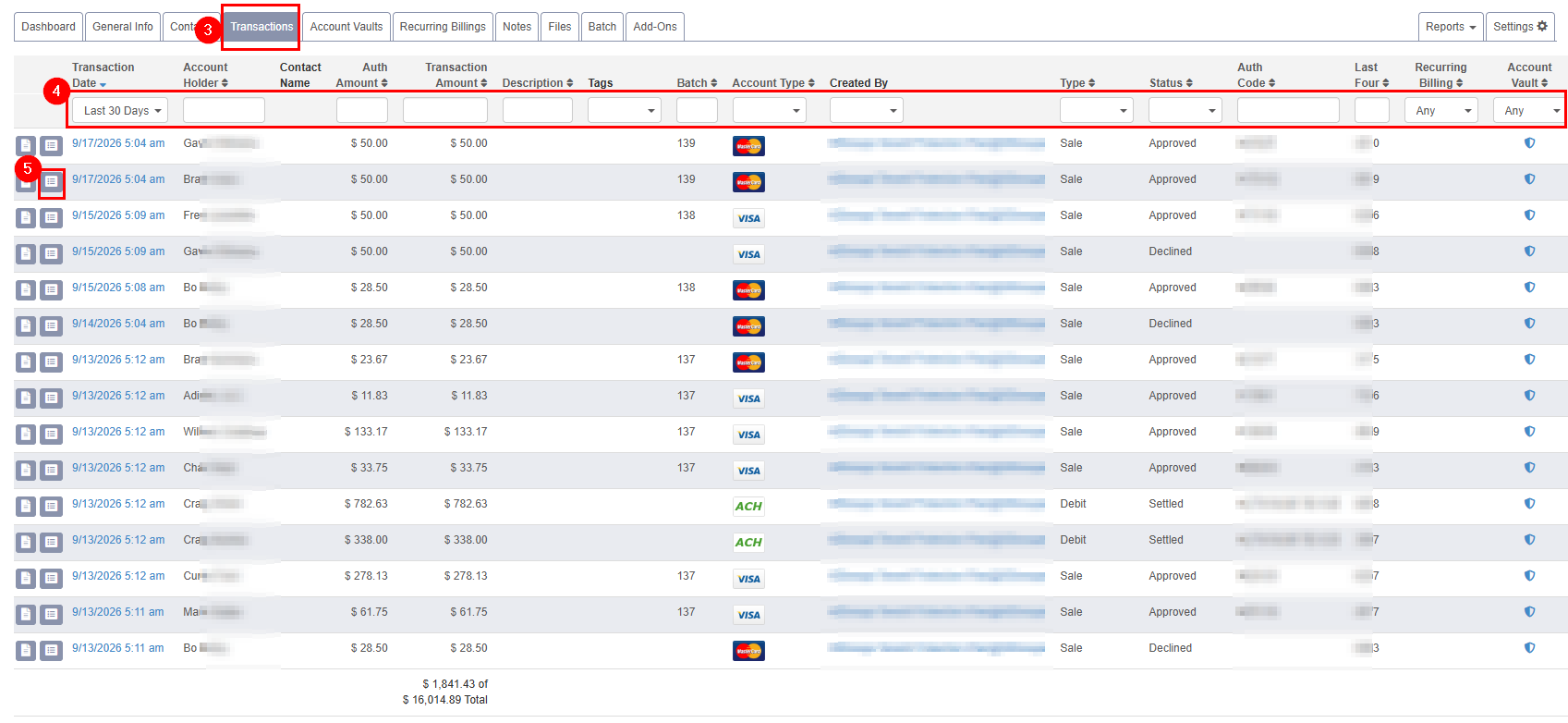
- You should then have the Actions list in the top right with the option to either void or refund the transaction
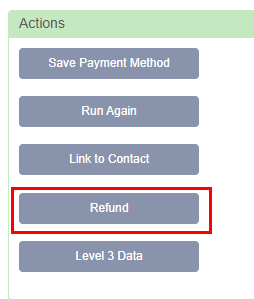
- You can Void transactions that are still in progress
- Processed payments will need to be refunded
- Refunds processed through the payment processor will not automatically reflect in 6Storage ledgers
- You may need to remove payments on the 6Storage side to ensure your reporting matches the money you received