Viewing the Units List
- Access the Units page from the top toolbar
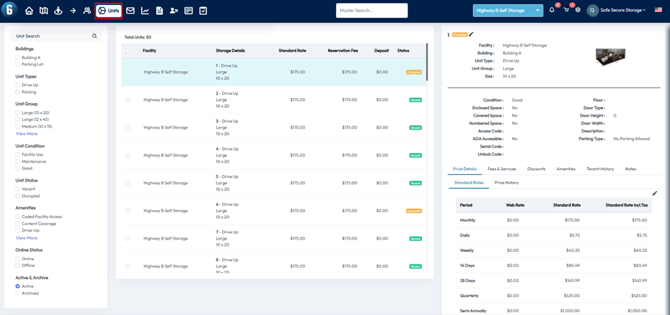
- A list of all your units will appear in the center of the screen
- Use the filters on the left side to narrow down your search by facility, unit type, size, status, and more
Change Web Rates in bulk
You can make changes to multiple units at once using bulk actions:
Step 1: Filter and Select Units
- Use the filters on the left to narrow down your unit list
- Use the checkboxes next to each unit—or the select all checkbox in the column header—to choose units for bulk editing
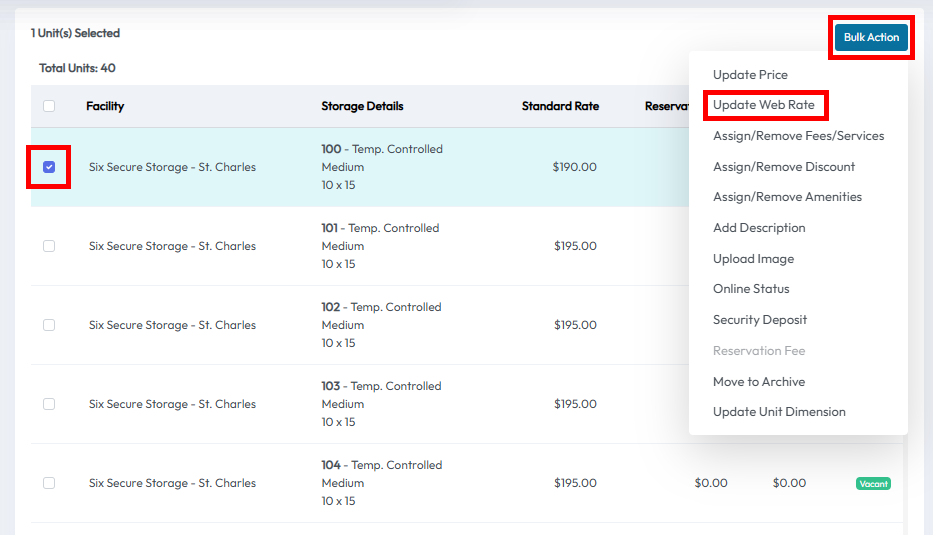
Step 2: Open the Bulk Action Menu
- Once units are selected, a Bulk Action button will appear
- Click this to open bulk update options
- Select Update Web Rate
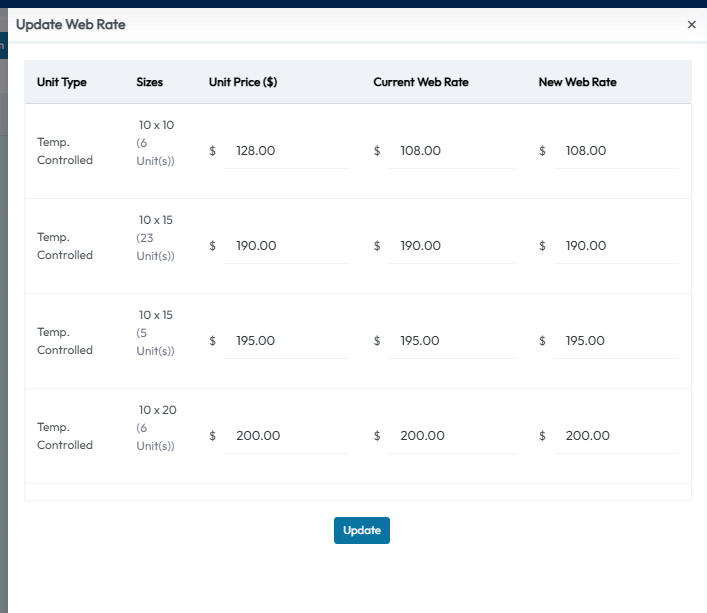
Step 3: Set the New Web Rate
- After selecting Update Web Rate a new menu will appear
- Change the column labeled New Web Rate to what you would like you online renters to pay
- Select Update to save
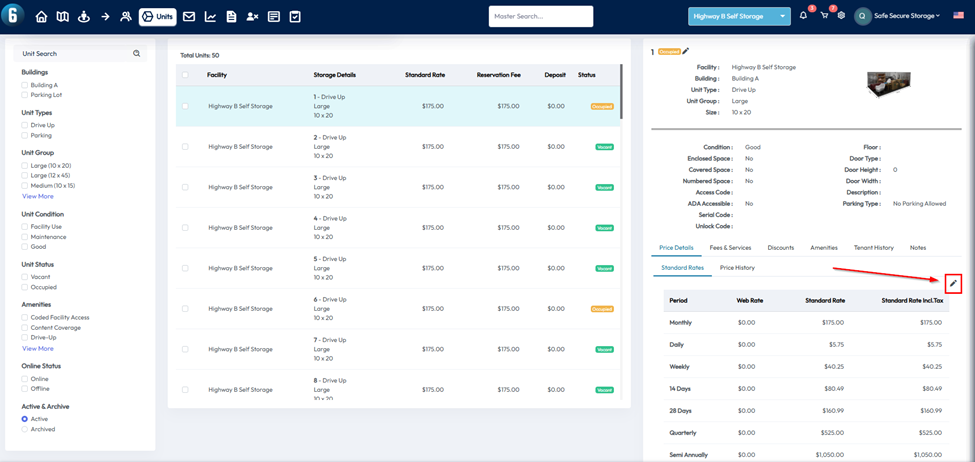
Change Web Rates for individual units
- After selecting an individual unit you can use the pencil icon on the right side
- This will give you the option to edit the web rate for the selected unit
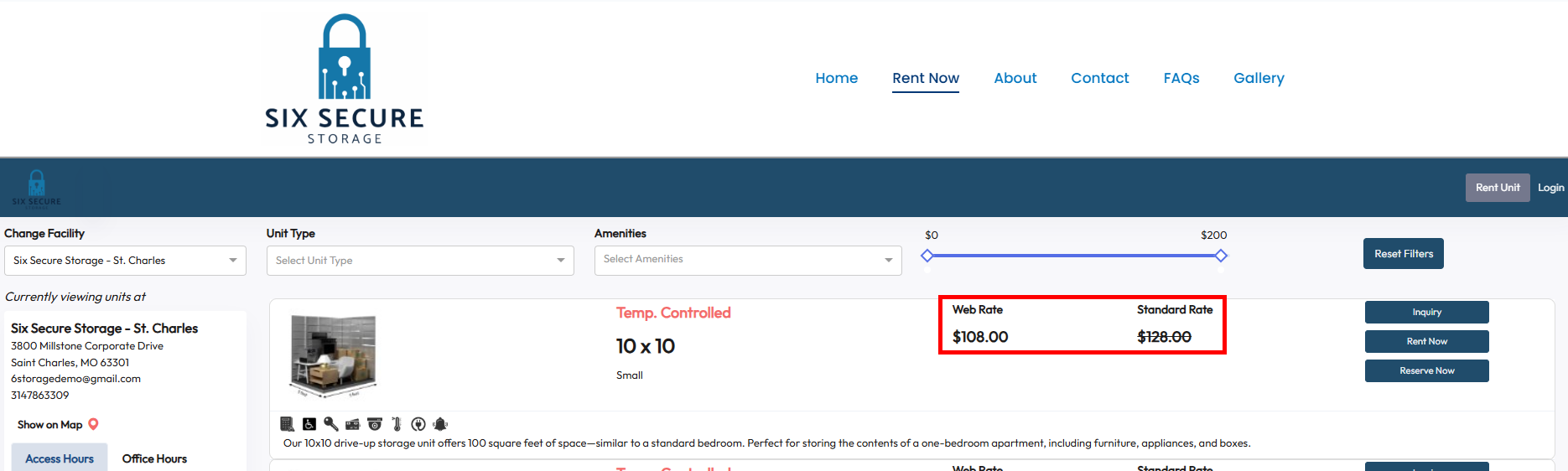
Displaying Web Rates on your website
- To display the Web Rate on your website it needs to be enabled
- This option can be found in settings by selecting customizations
- Select Rental Hub and use the pencil icon to edit
- Enable the Show Web Rate option and select Update to save
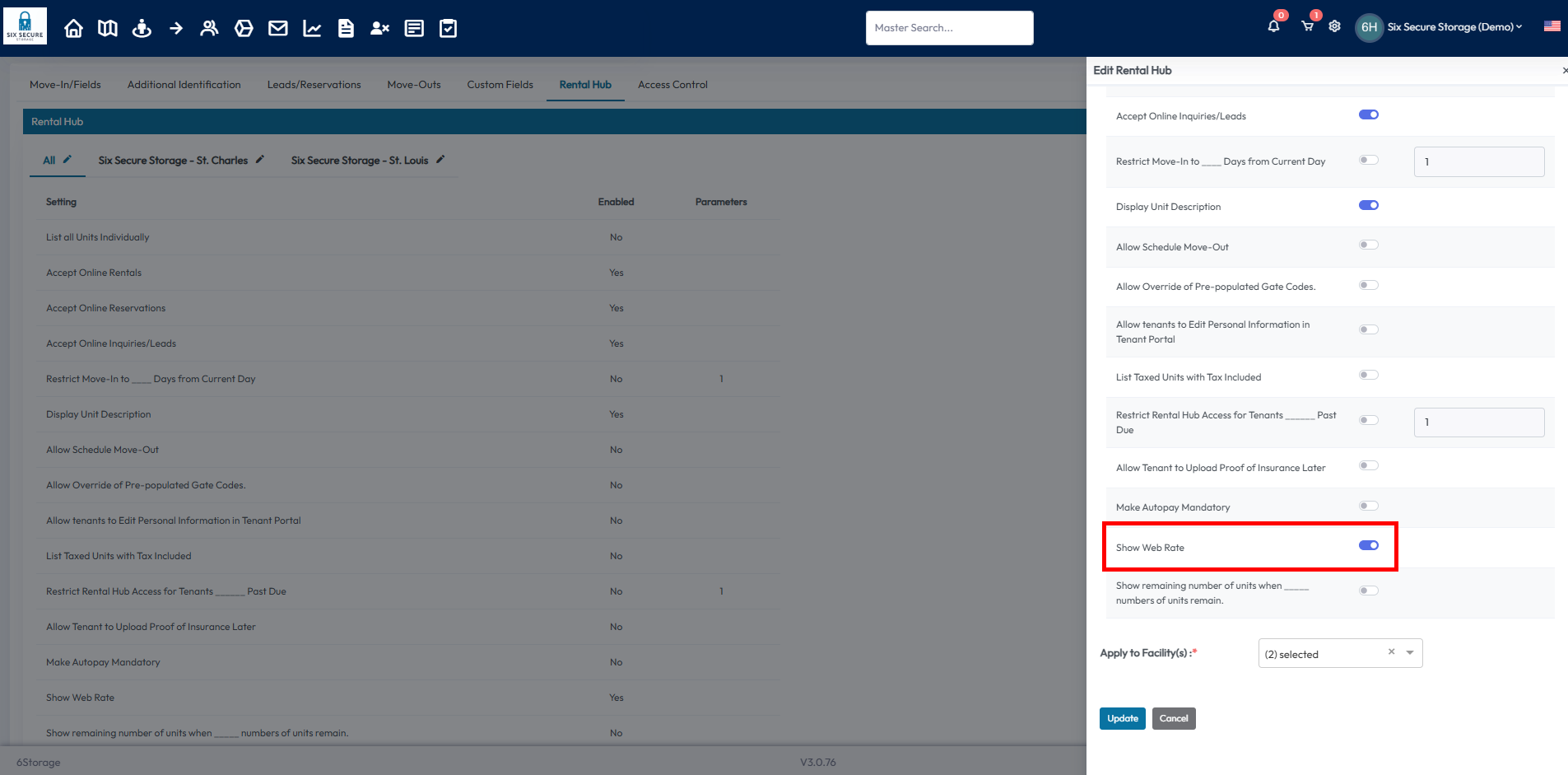
This setting enables the web rate to be displayed on your website while also showing the standard rate with a strikethrough to advertise your discount!