
-
Websites can be unique to each business so they may all look slightly different.
-
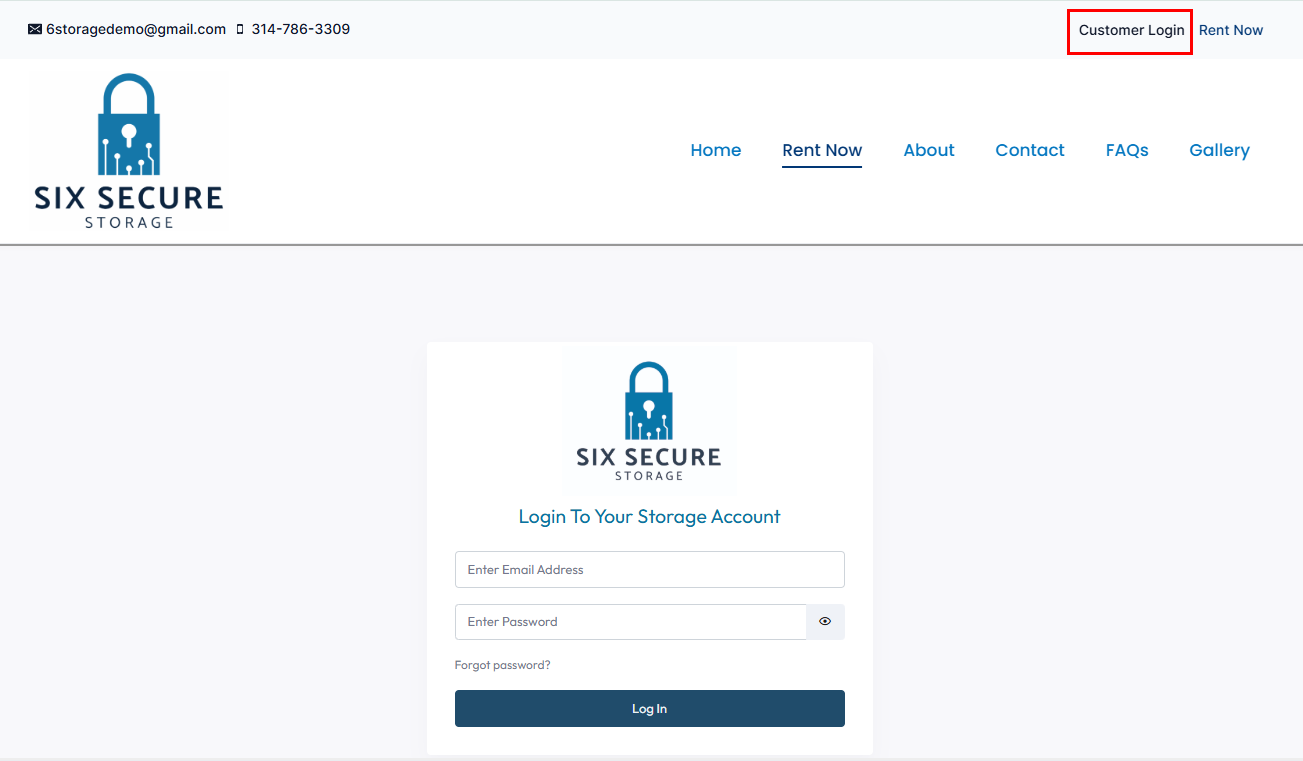
Most 6Storage websites will have an option for the Customer Login in the top right
- This will take you to the log in screen
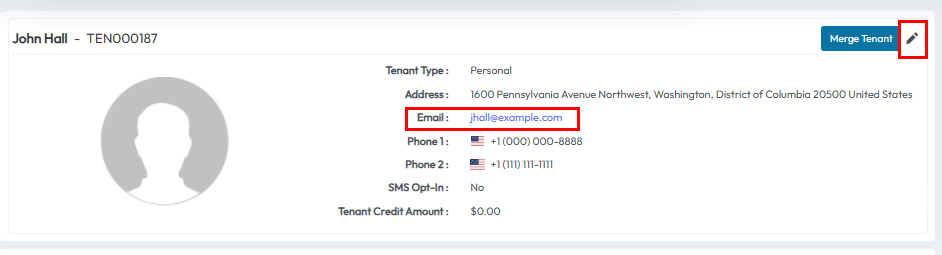
- The username will be the Email Address the tenant provided during the sign up process
- The operator can find this Email Address in the Admin Portal by going to the tenant's profile
- They can change this Email Address if needed using the pencil icon to edit
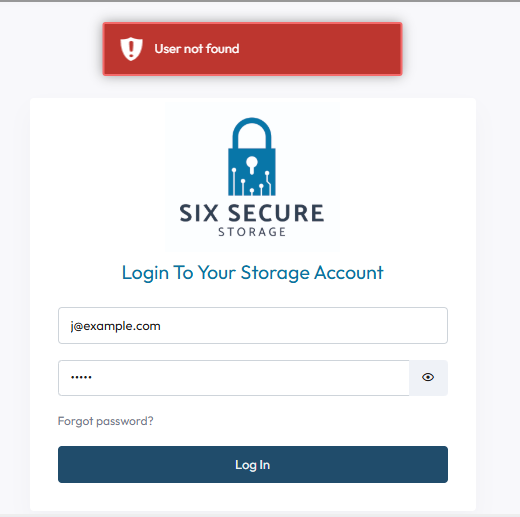
- The username the tenant types will have to match the email in the tenant profile exactly
- If a tenant used the wrong email address, made a small typo, or added extra space the username will be invalid
- If the tenant sees the error User not found the first step is to compare the username the tenant typed in here to the email address in the tenant profile
- The tenant's password will also have to match an existing password as well
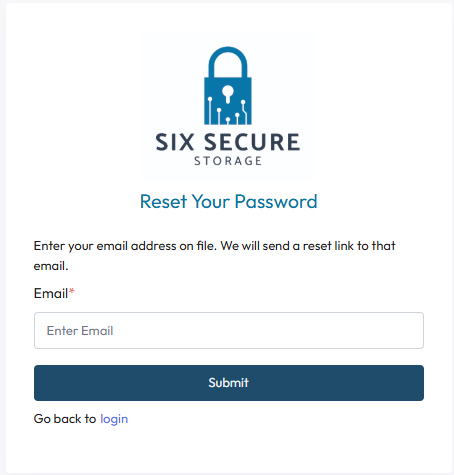
- If a tenant is having password troubles they will need to use the Forgot Password? option
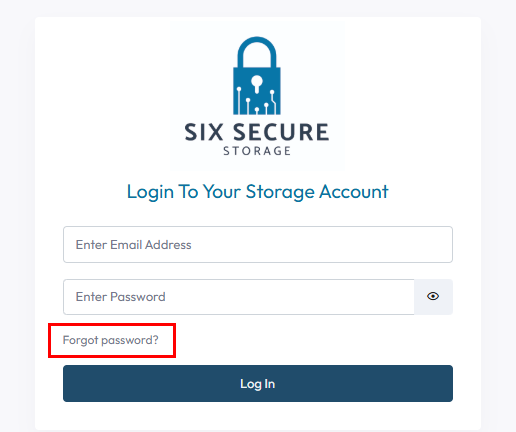
- Here a tenant can enter their email address to have the password reset email sent to them
- The email will need to match the email address on file in the admin portal
- The template is customizable, but the forgot password email should contain a button or link to reset the password
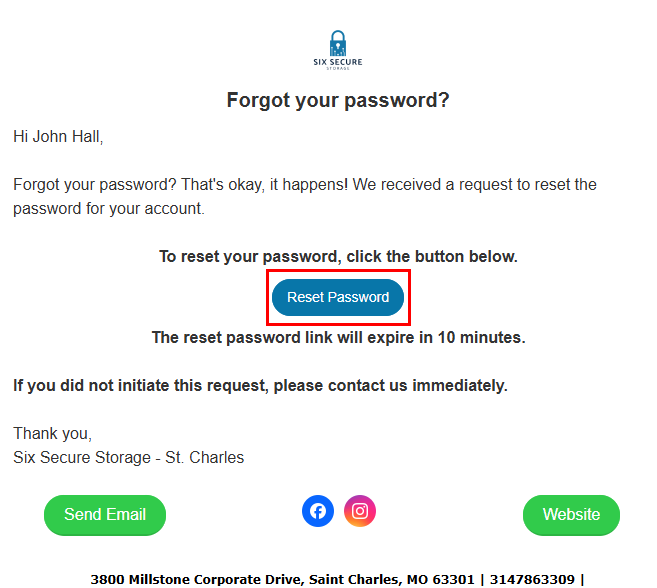
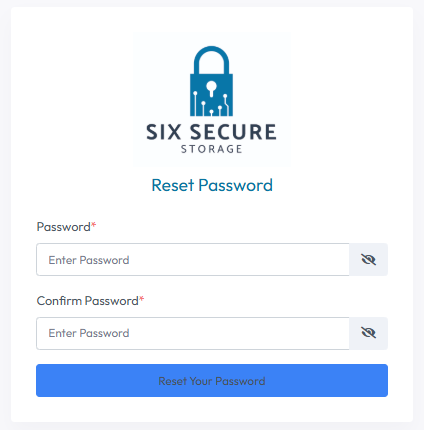
- This button will take you to the Reset Password page
- Here you can enter your new password and confirm it by entering it a second time
- Make sure the password meets the minimum requirements
- Password length must be greater than 8 characters.
- Password must contain at least one uppercase
- Password must contain at least one lowercase
- Password must contain at least one number
- Password must contain a special character (@, $, !, &, etc).
- If the tenant is not receiving the forgot password email there are a few things to check
- Check all inbox folders including Junk, Spam, Promotions, and Trash
- The most frequent issue is the email going to a Junk/Spam folder
- Check the Email Address
- Make sure the inbox they are checking matches the email address on file exactly
- Check Mailbox Storage
- If the tenant's inbox is full they will be unable to receive new mail
- Check Filters and Rules
- Email inboxes can have filters or rules in place that may automatically move, archive or delete some emails
- Check for Browser or Cache issues
- Sometimes web browsers can interfere with form submissions
- You can try clearing your cache, using a different web browser, or private window
- Some browser extensions like ad blockers may interfere as well
- Check blocked Senders/Blacklists
- It is possible to block a sender. If the sender is blocked they cannot send you the password reset email
- Emails should be delivered quickly but sometimes delays happen
- If you do not receive the email it is recommended to wait a few minutes before trying again
- Searching your inbox may also help find the email
- Searching for Forgot your password or Password Change Request may help find the email if you did receive it
- Check all inbox folders including Junk, Spam, Promotions, and Trash