You can send templated emails to your tenants through the Messaging tab
- We will be sending the New Software Announcement template
- This template has been created by our team but can be changed to match your operations
- You can learn more about editing templates here: https://help.6storage.com/knowledge-base/settings-email-templates
Step 1: Decide Who to send your email to
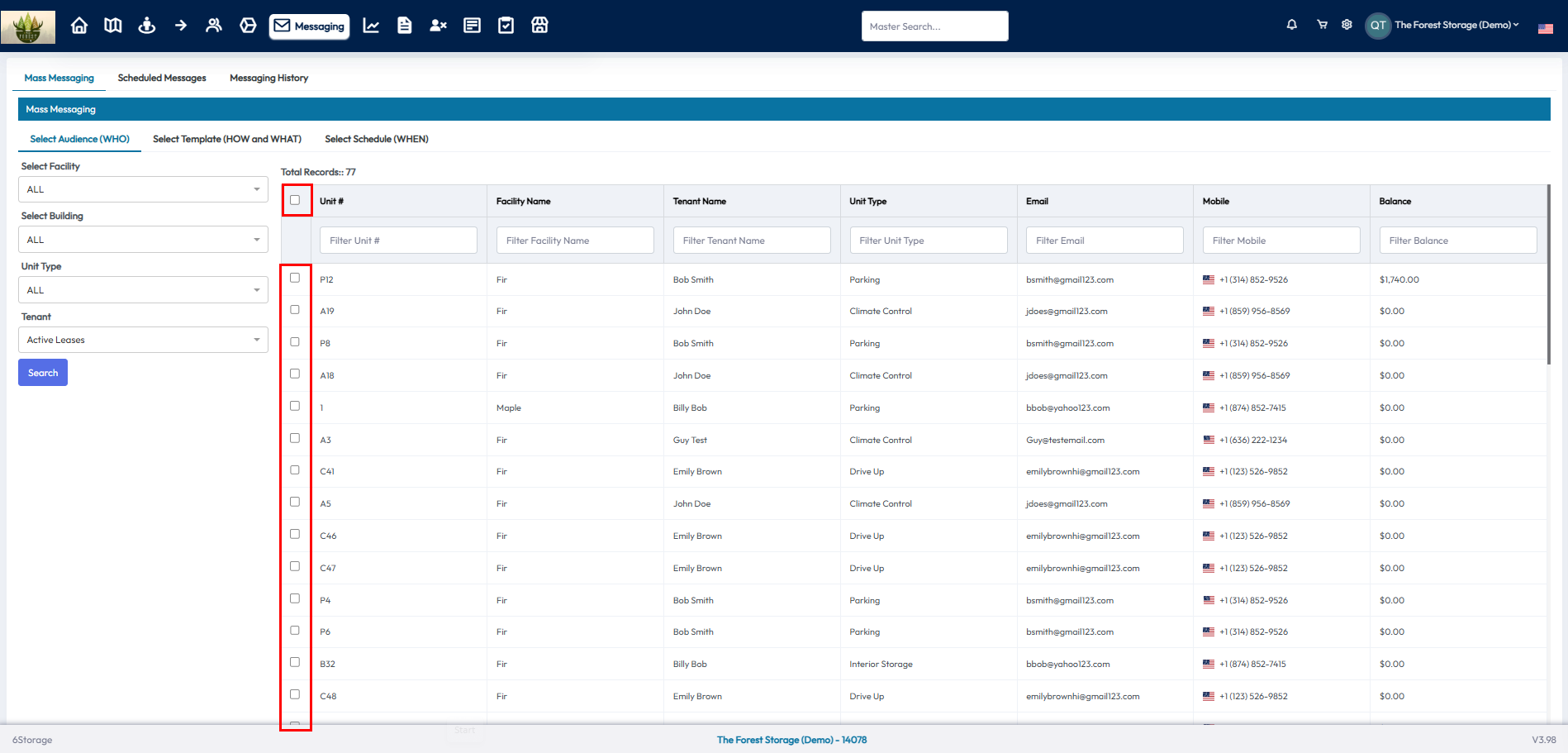
- Select the tenants that you would like to send your email to using the check boxes in the table
- Limit your search using the filters on the left side
- You can use the check box in the column heading to select all tenants
Step 2: Decide What to send and How
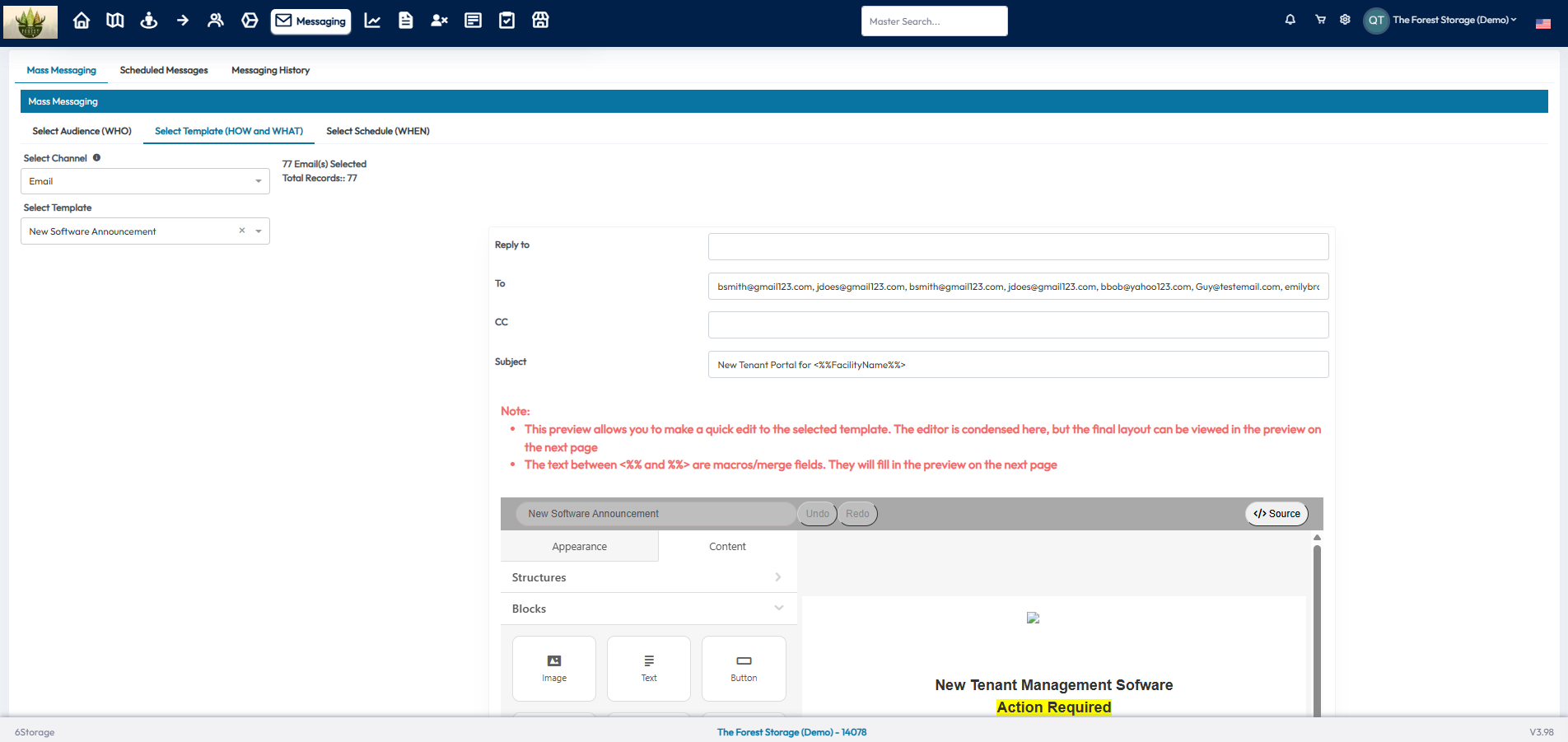
- We are going to select Email from the Channel drop down
- Choose the New Software Announcement template from the Select Template drop down
- You can edit the template before sending it here if needed
- You can use the Next button at the bottom to move to the next step
Step 3: Select When to send
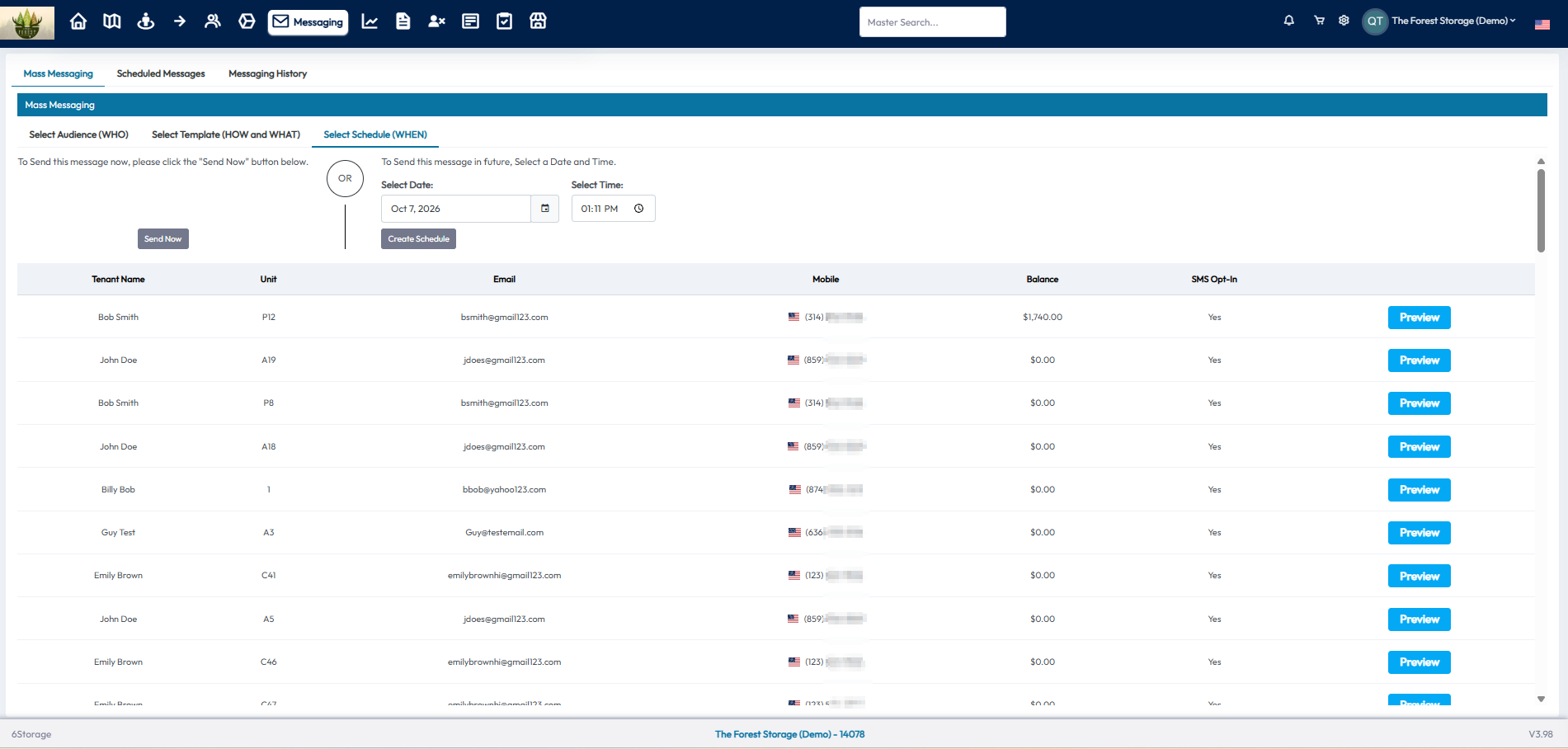
- Click the Send Now button to send the message now
- You can also select a date and time to schedule a message to be sent in the future