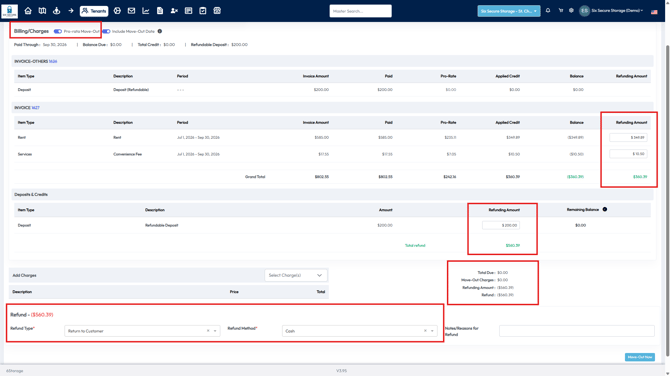
Note: Our software cannot directly issue Credit Card Refunds, you will need to process these refunds through your Payment Processor.
When is a Tenant is Eligible for a Refund?
-
When a move-out is prorated any unused prepaid rent is added to the account as credit
-
The refundable deposit and all credit is first applied to any outstanding balance
-
Any credit remaining after the account balance reaches $0 may be refunded to the tenant
Refundable Deposits
Deposits can be added to a tenant in either the Tenant Profile or the Move-In Process
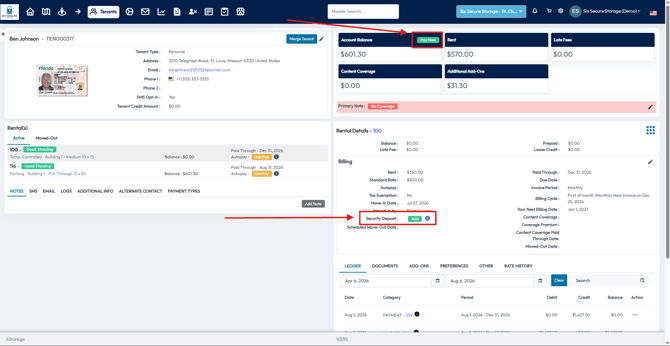
To add a Refundable Deposit in the Tenant Profile, select Pay-Now or Add next to Security Deposit.
Note: If you choose Pay-Now, any outstanding invoices will be selected by default.
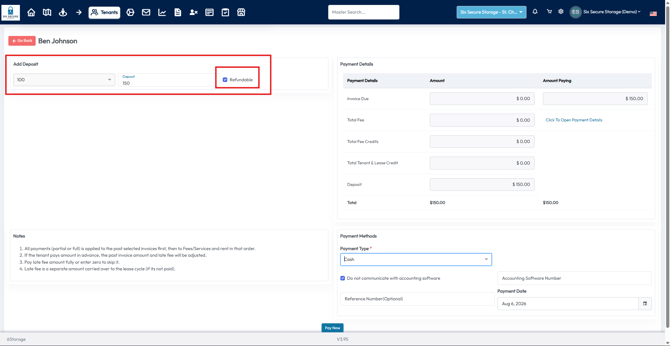
Use the Dropdown to select which Unit will receive the deposit, and enter the deposit.
If the Deposit should be Refundable, select the associated checkbox.
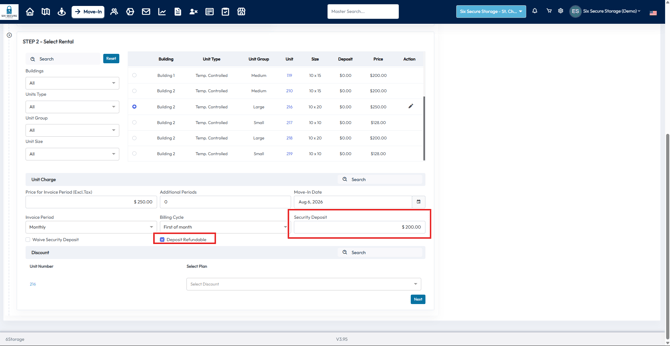
During the Move-In Process, the tenant can add a Refundable Deposit as part of their Move-In Invoice.
Refund Process
To refund a tenant, start the Move-Out Process on their profile. Here you can enable a prorated move out and be prompted to refund any unused payment's the tenant may still have on their account