
This process is done by creating an invoice for a specific billing period and requires the Daily invoice period option available.
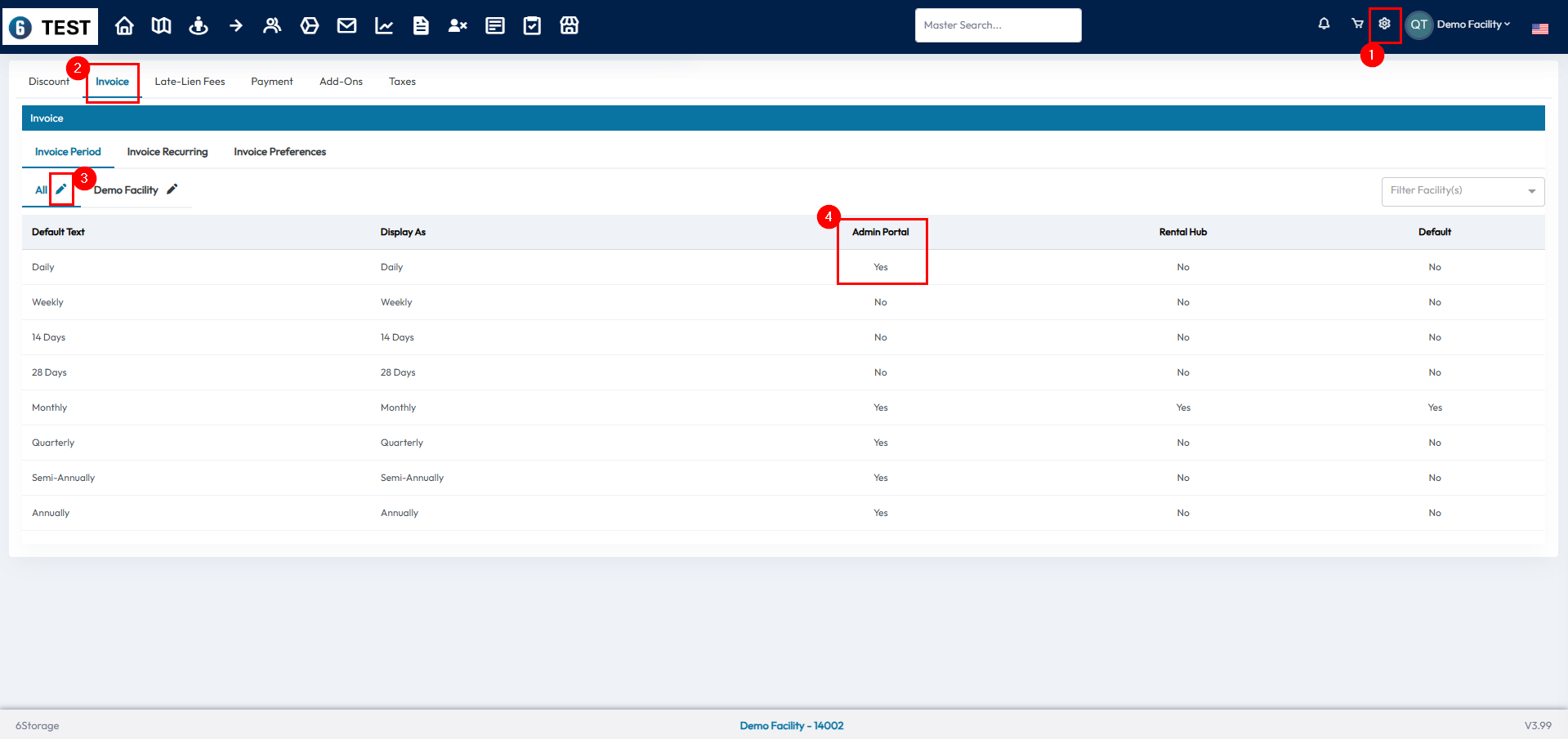
- To enable the daily invoice period you can go to financial settings > invoice > invoice period > pencil icon to edit > enable daily in the admin portal
- You may need to enable anniversary billing in financial settings > invoice > Invoice Recurring as well
- The change will be made from the tenant profile
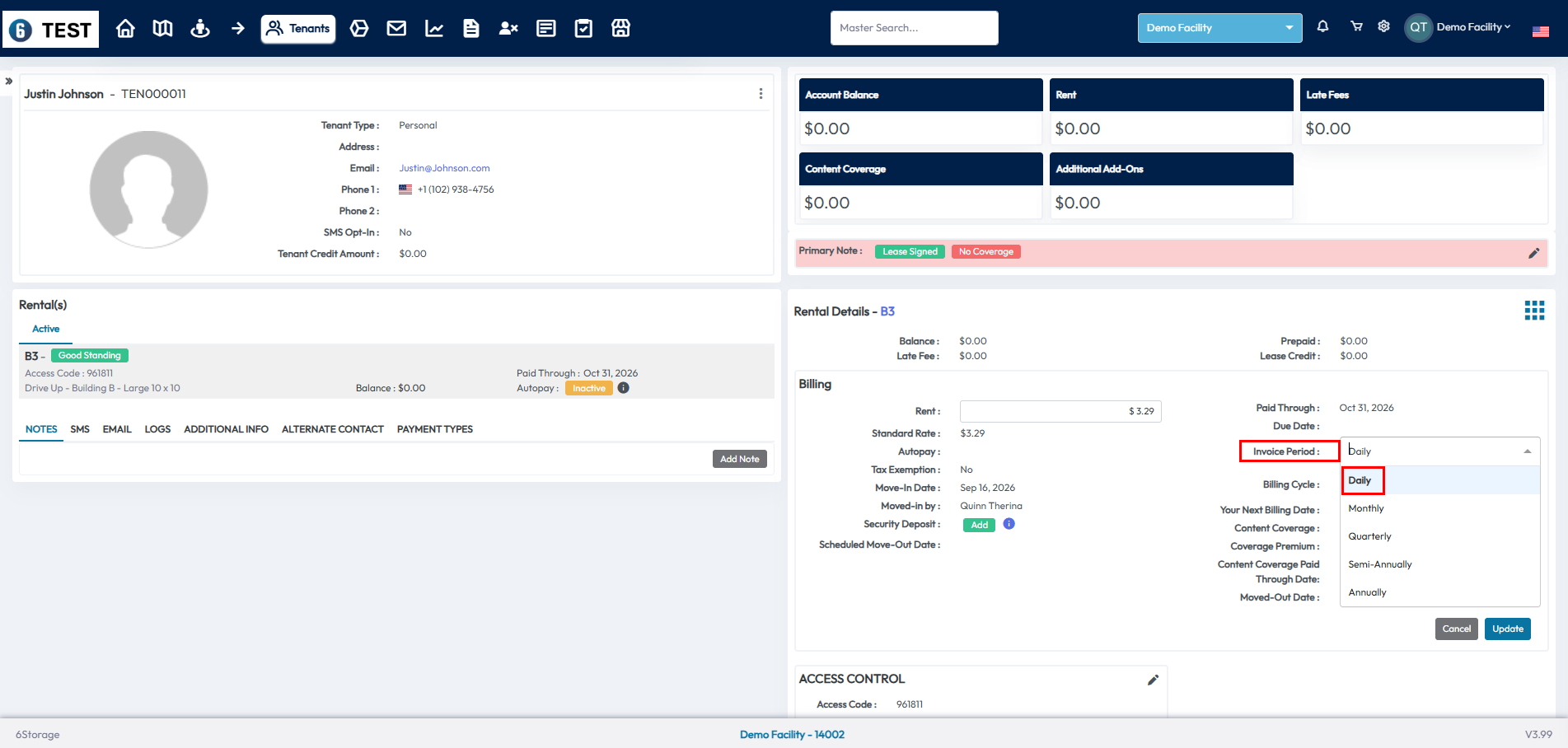
- Change the tenant to Daily Invoice Period by selecting the pencil icon in the billing box on the right and using the Invoice Period Drop Down and click Update to save
- We can then create the next invoice
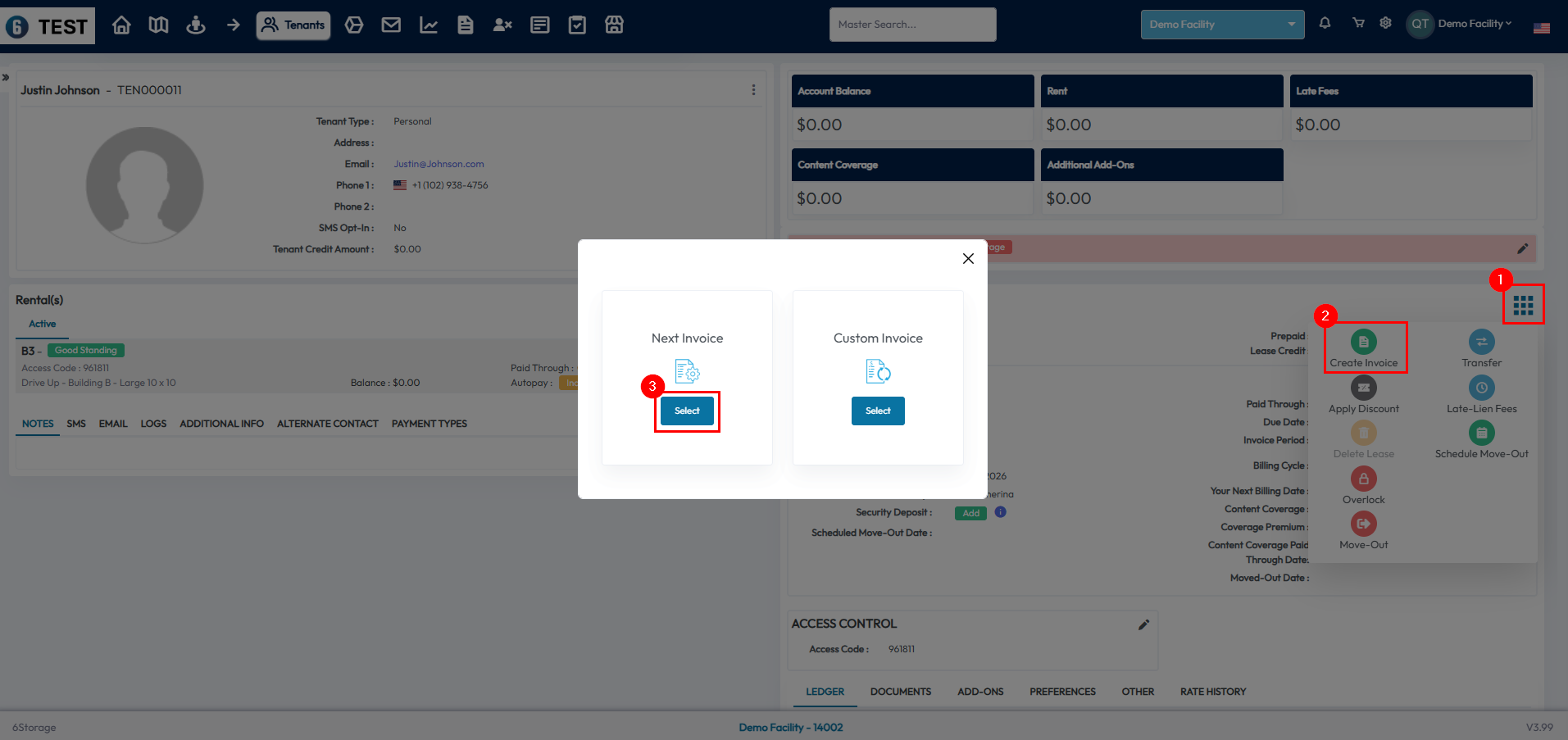
- Select the Menu button > Create Invoice > Next Invoice
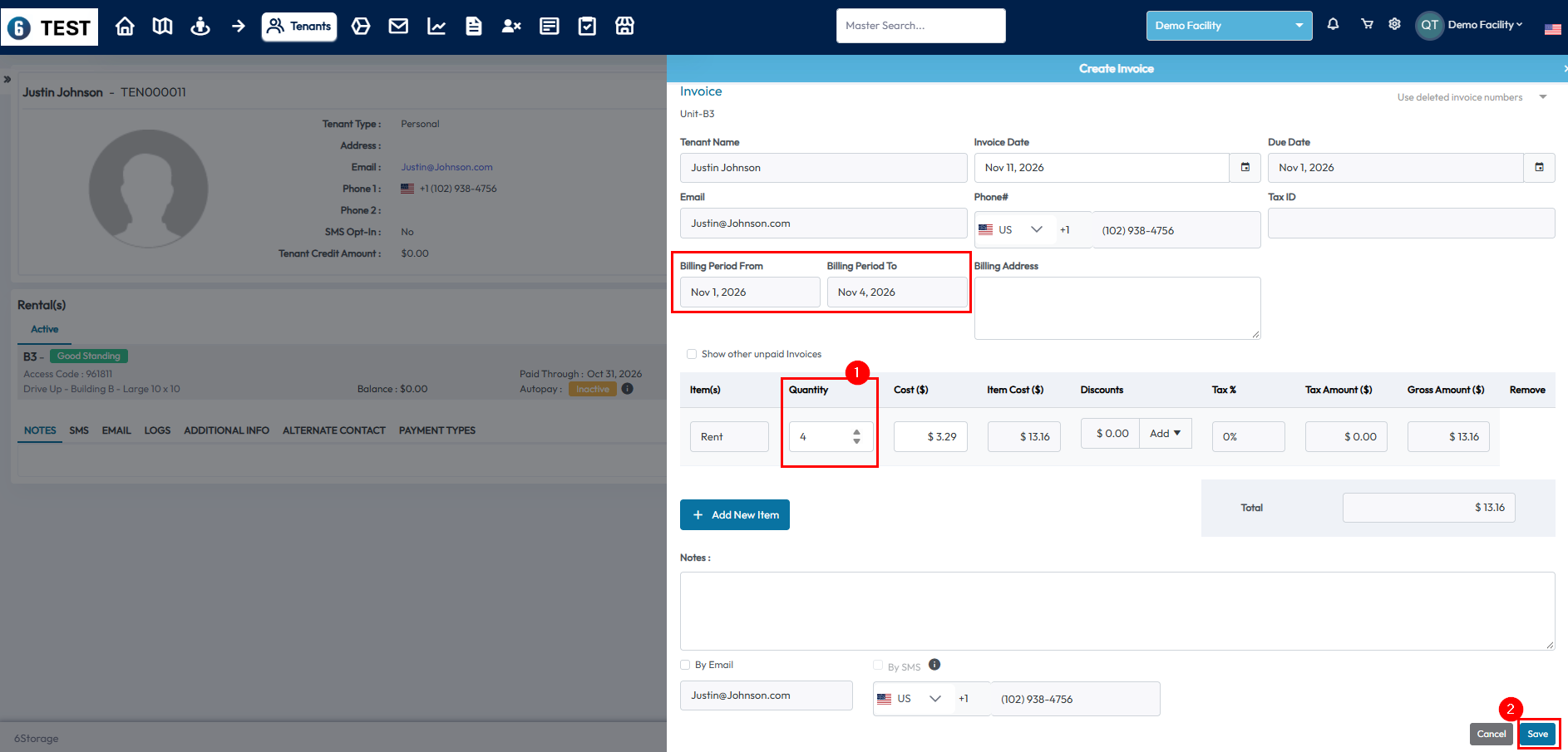
- Change the quantity to the number of days the billing period needs to be moved
- You should see this change the Billing Period To field just above
- This Billing Period To field should be one day before the tenant would like their payments to be due
- The next invoice that is created after this one will begin the day after this Billing Period To date
- Select Save to create the invoice
- You can then change the tenant back to their original invoice period by using the billing box in the tenant profile
- This process will create an invoice for the days between their current billing date and their desired invoice date
- The tenant will be billed on the new billing date going forward