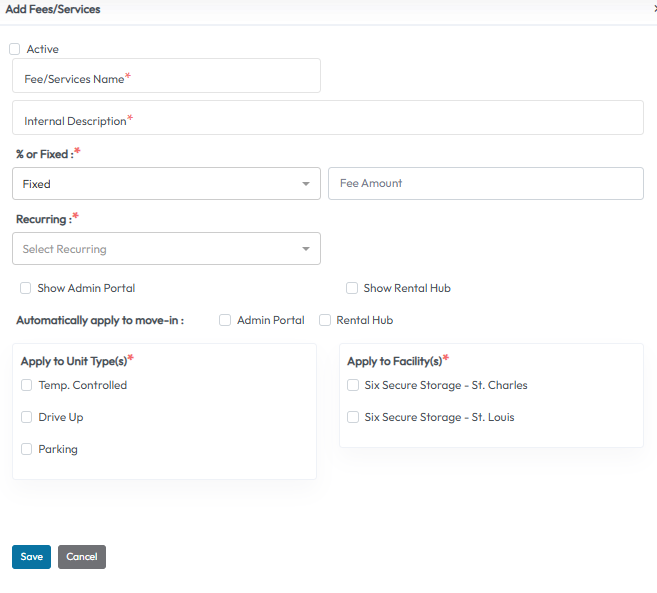
Configuring Fees/Services
To manage your fees and services:
- Go to Settings > Financial Settings > Add-Ons > Fees/Services
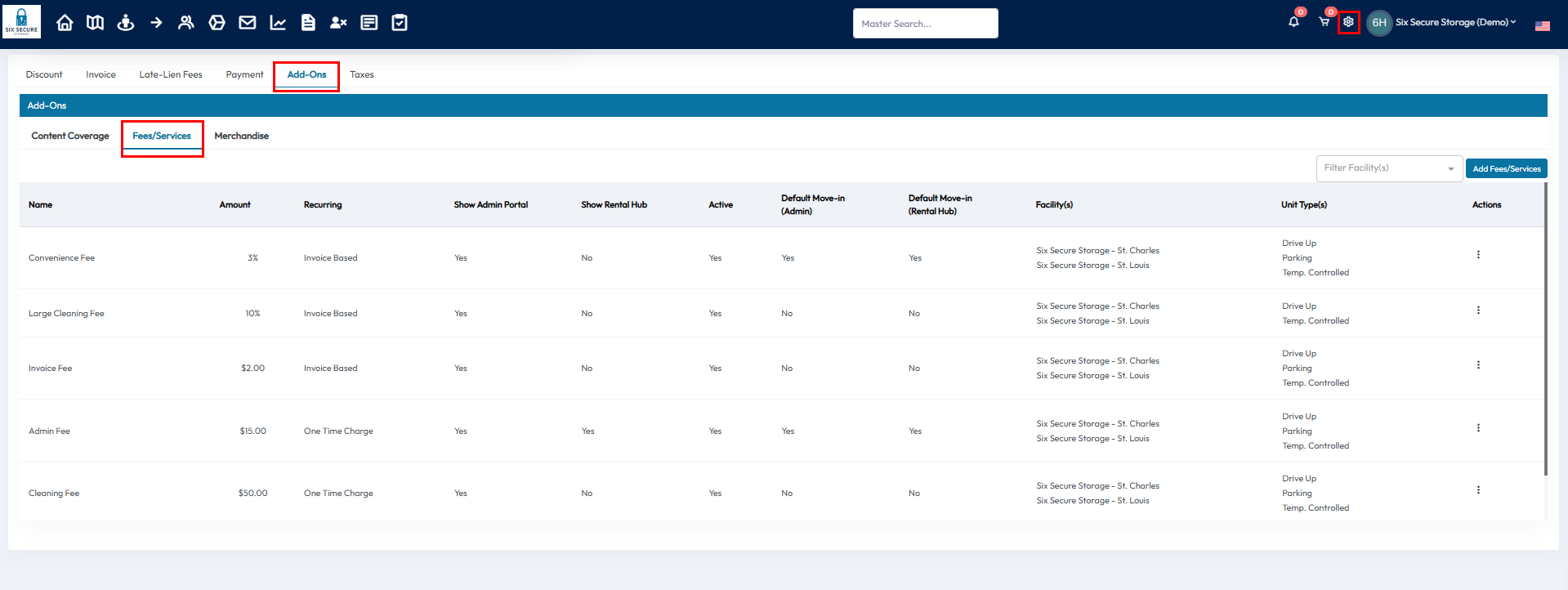
Here, you’ll see a list of all configured Fees/Services, including:
- Name
- Amount
- Recurring status
- Where the Fee/Service is displayed
- Facilities and units the Fee/Service is available for
To update existing Fee/Service, click the Action button on the right side of any product row to edit its details.
Adding New Merchandise
To add a new product:
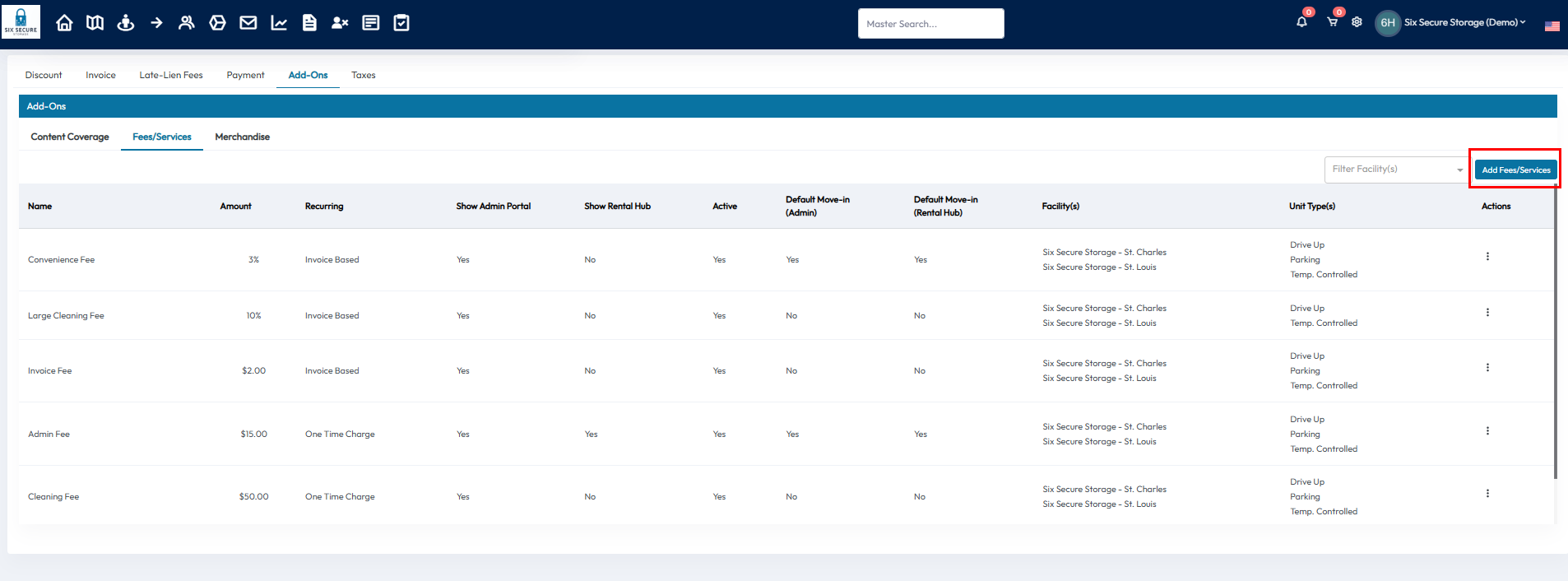
- Click Add Fees/Services
- Fill in the following information:
- Fee/Service Name
- Internal Description - for your team
- Percentage or Fixed amount the tenant will have to pay
- Recurring - If the fee is a one time charge or occurs on each invoice
- If the fee should be displayed or automatically applied to new renters
- What units and facilities the Fee/Service apply for
- Click Save to add the item to your add-ons